TEAM
Technicians and coordinators
They handle tickets according to their role, customer, product, and permission scope.
 Pro
Pro
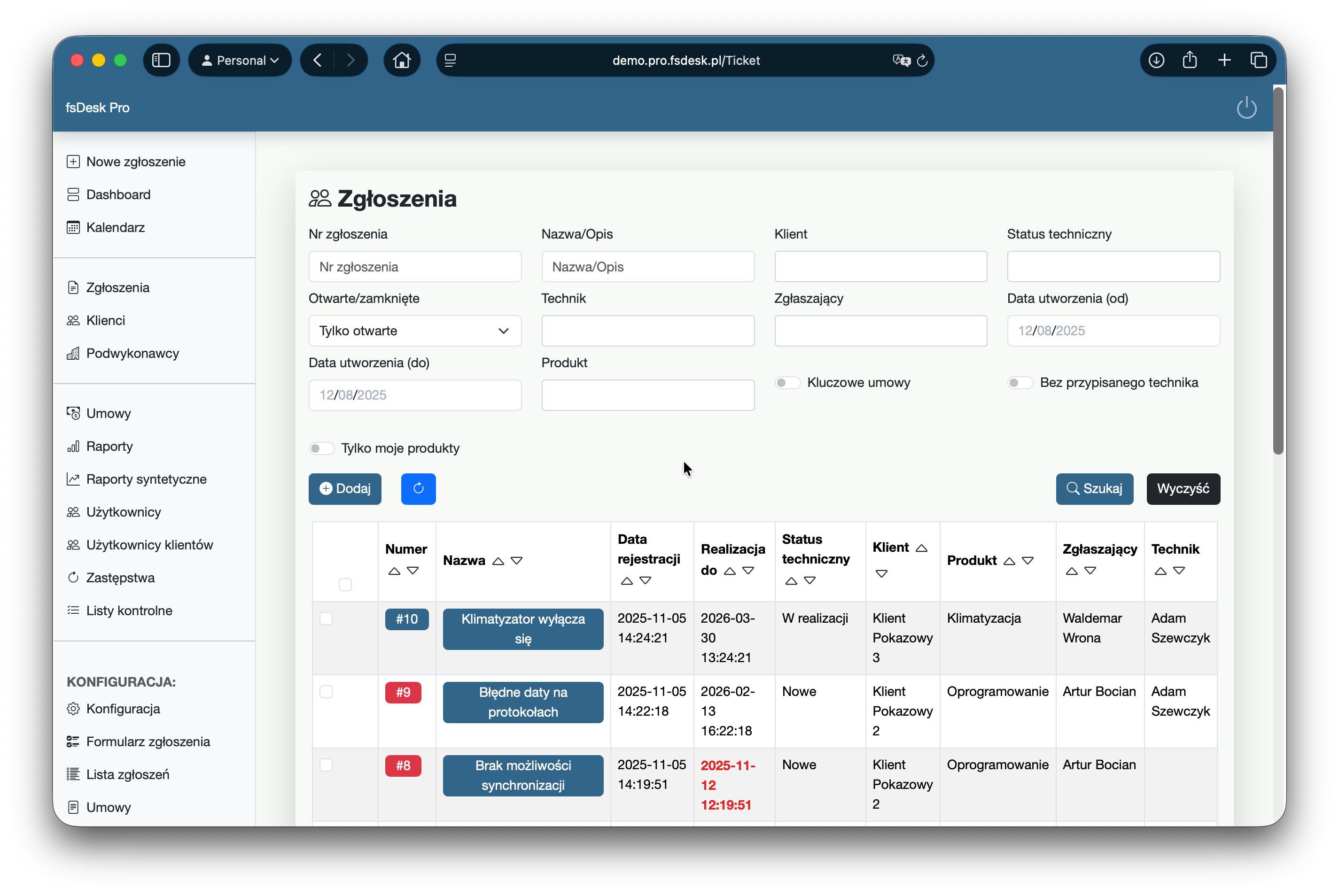
fsDesk Pro brings together ticket handling, SLA, technician work, customers, and subcontractors. Configure it around your own rules instead of changing your process to fit the tool.
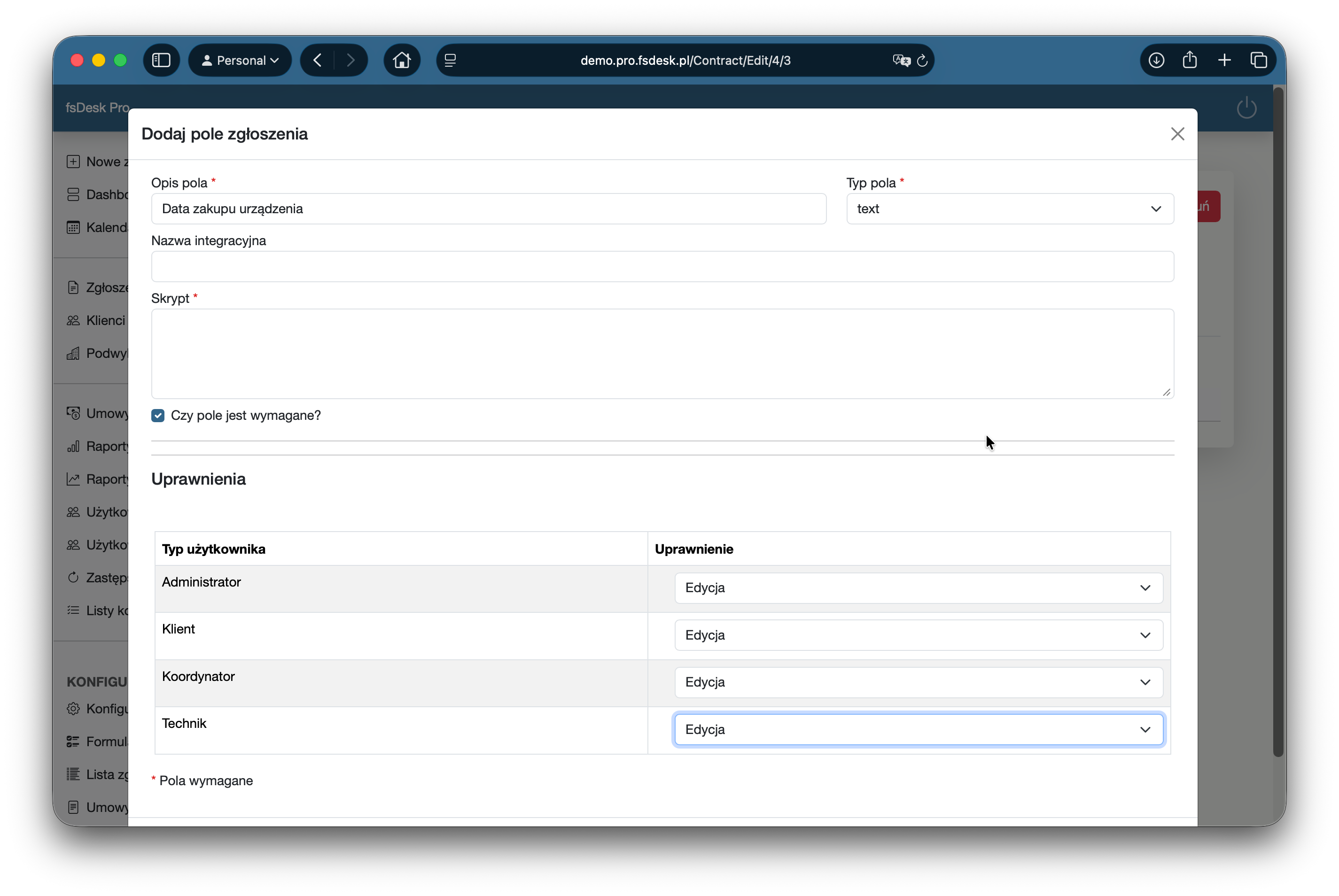
Each contract can use its own set of ticket types, fields, dependencies, and statuses. The form becomes part of the workflow, not just a box for describing the problem.
Text, value lists, and data required for your specific industry.
The form can react to the user's previous selections.
Different permissions for technicians, coordinators, customers, and administrators.
A repeatable delivery standard for selected ticket types.
For each ticket type, define response time, resolution time, and the hours in which SLA should be calculated. fsDesk Pro takes care of the rest.
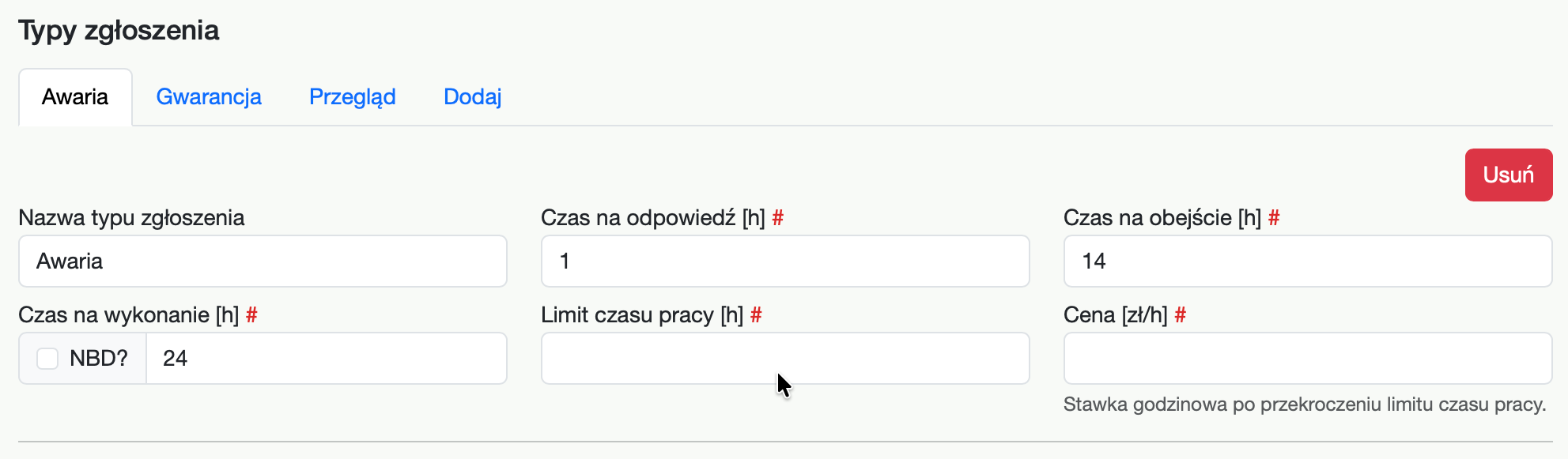
Define how long the team has to respond to a ticket.
Track the resolution deadline according to the contract.
Business days from 8:00 to 16:00 or full 24/7 coverage—depending on the contract.
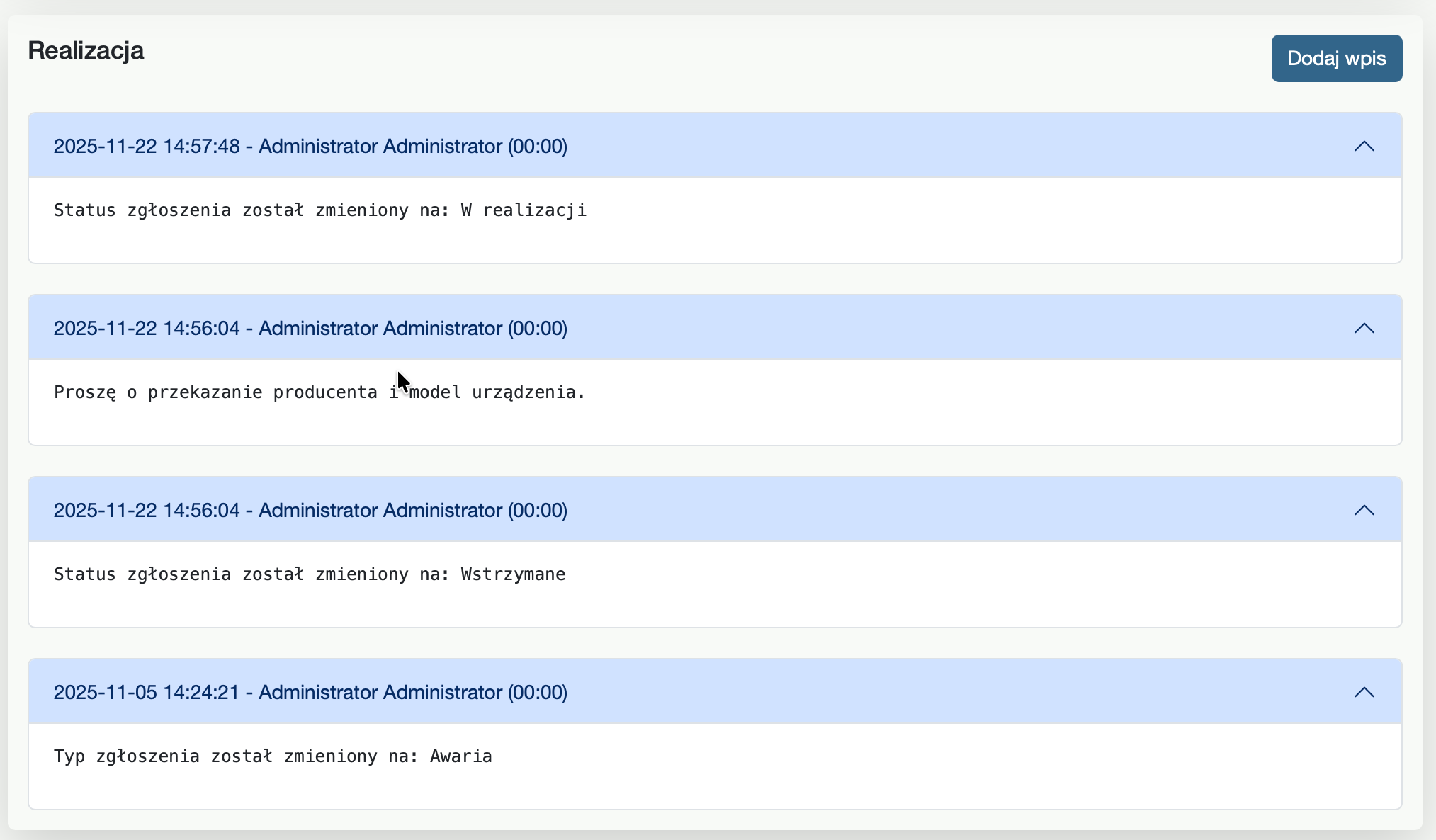
Notes, activities, attachments, comments, and status changes create a single history. Handing a ticket over to someone else no longer means reconstructing context from emails.
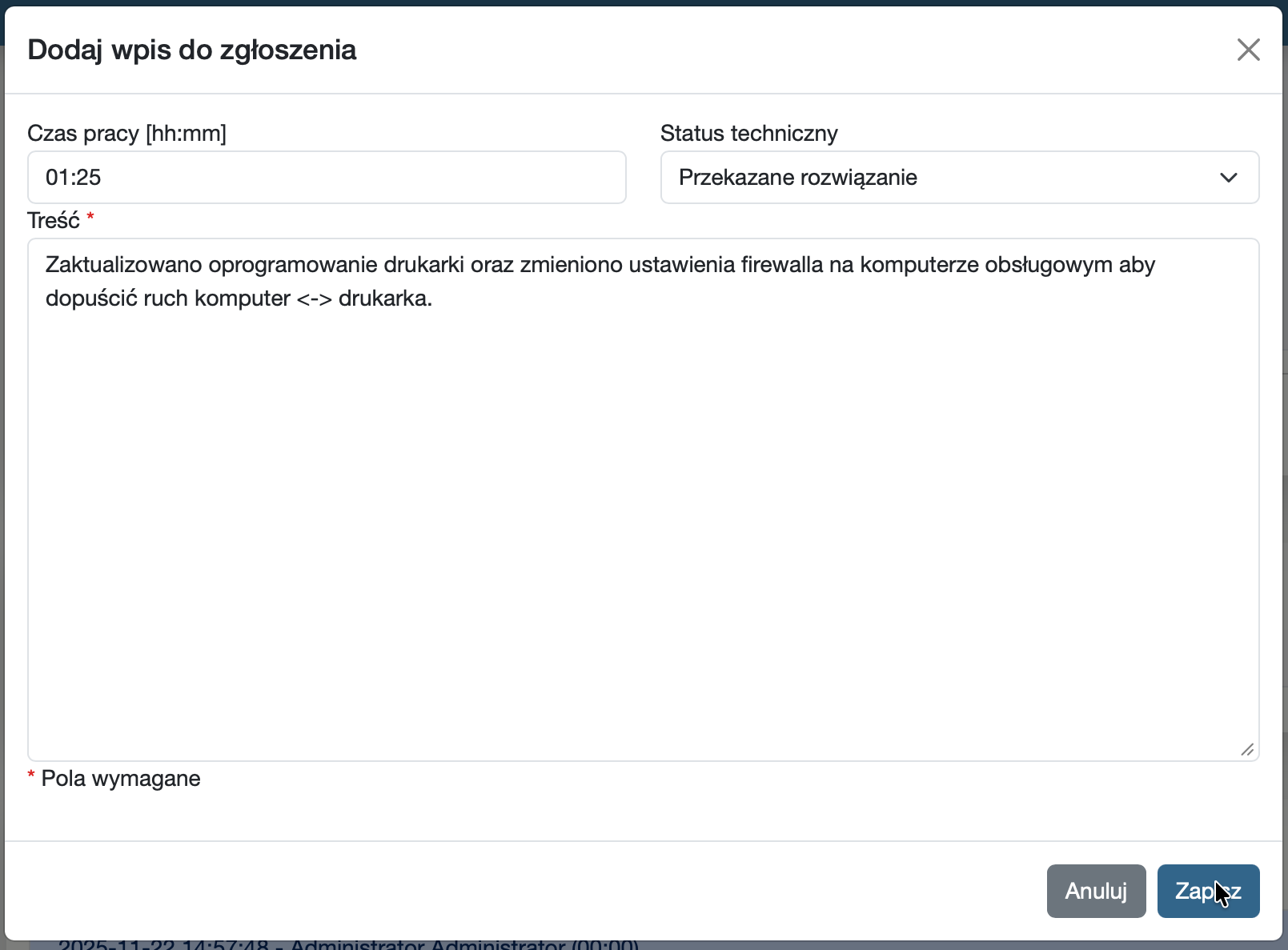
Technicians record time and describe completed work directly in the ticket. The data can then be used for reporting, workload analysis, and customer billing.
They handle tickets according to their role, customer, product, and permission scope.
Customers can see their own tickets, status, communication, and attachments without access to internal service data.
They receive only the tickets assigned to them and the context needed to complete the work.