Przejdź do treści
fsDesk Pro
Helpdesk for service and maintenance

A helpdesk tailored to your service.

You configure forms, statuses, SLAs, and permissions to match your own processes. fsDesk Pro keeps track of deadlines, organizes the team's work, and provides the client with a clear view of progress.

✓Data on your server
✓Unlimited tickets
✓English and Polish support
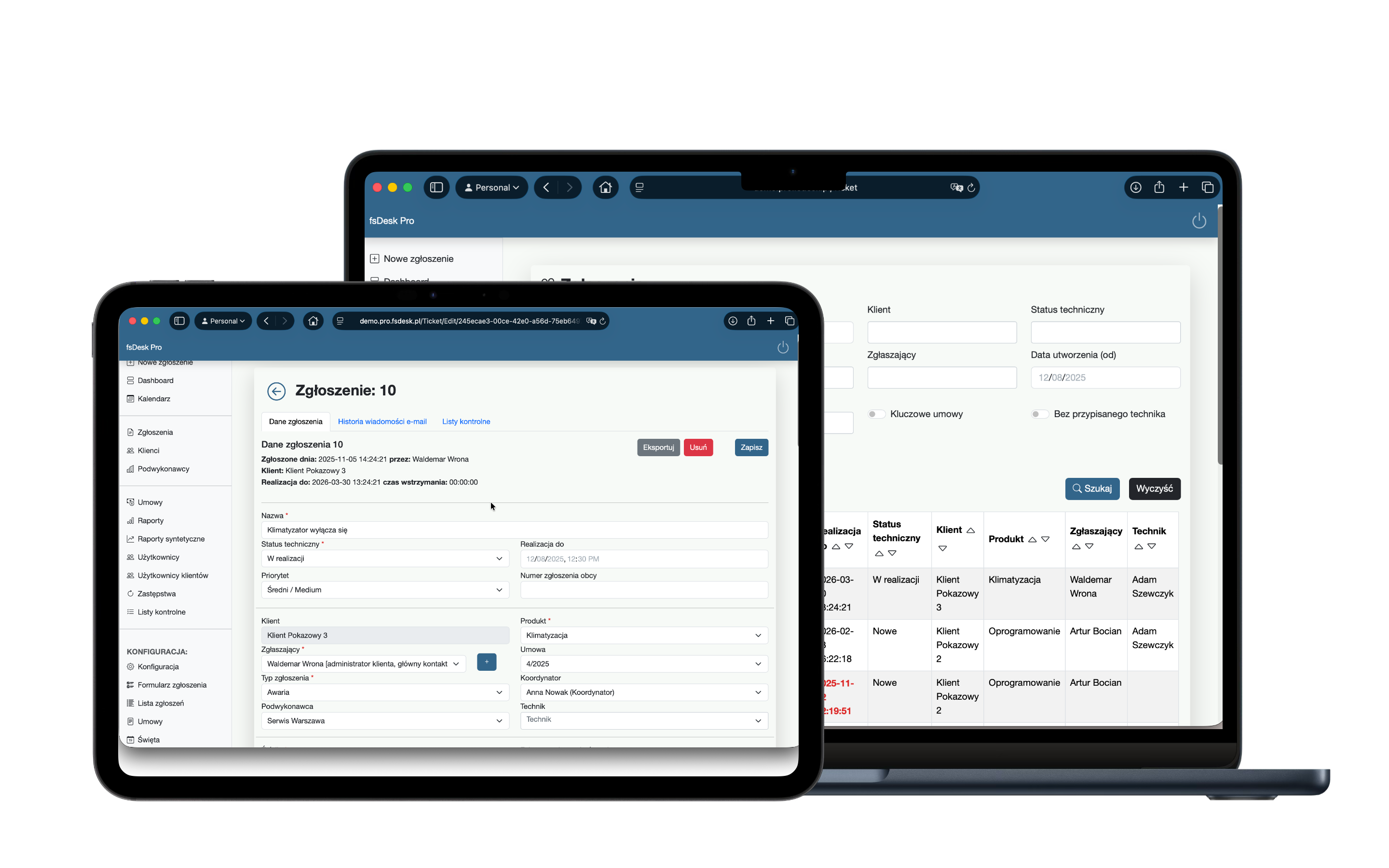
fsDesk Pro running on a laptop and tablet
01
Own process

Forms and statuses aligned with your workflow.

02
SLAs Under Control

Deadlines calculated automatically in accordance with the terms of the agreement.

03
Your data

The system runs on your company's infrastructure.

04
Full history

Every shift, message, and work hour in one place.

Product in action

One place for the entire ticket lifecycle.

From the customer form, through service delivery and SLA tracking, to time billing. No moving data between spreadsheets and separate tools.

TICKETS

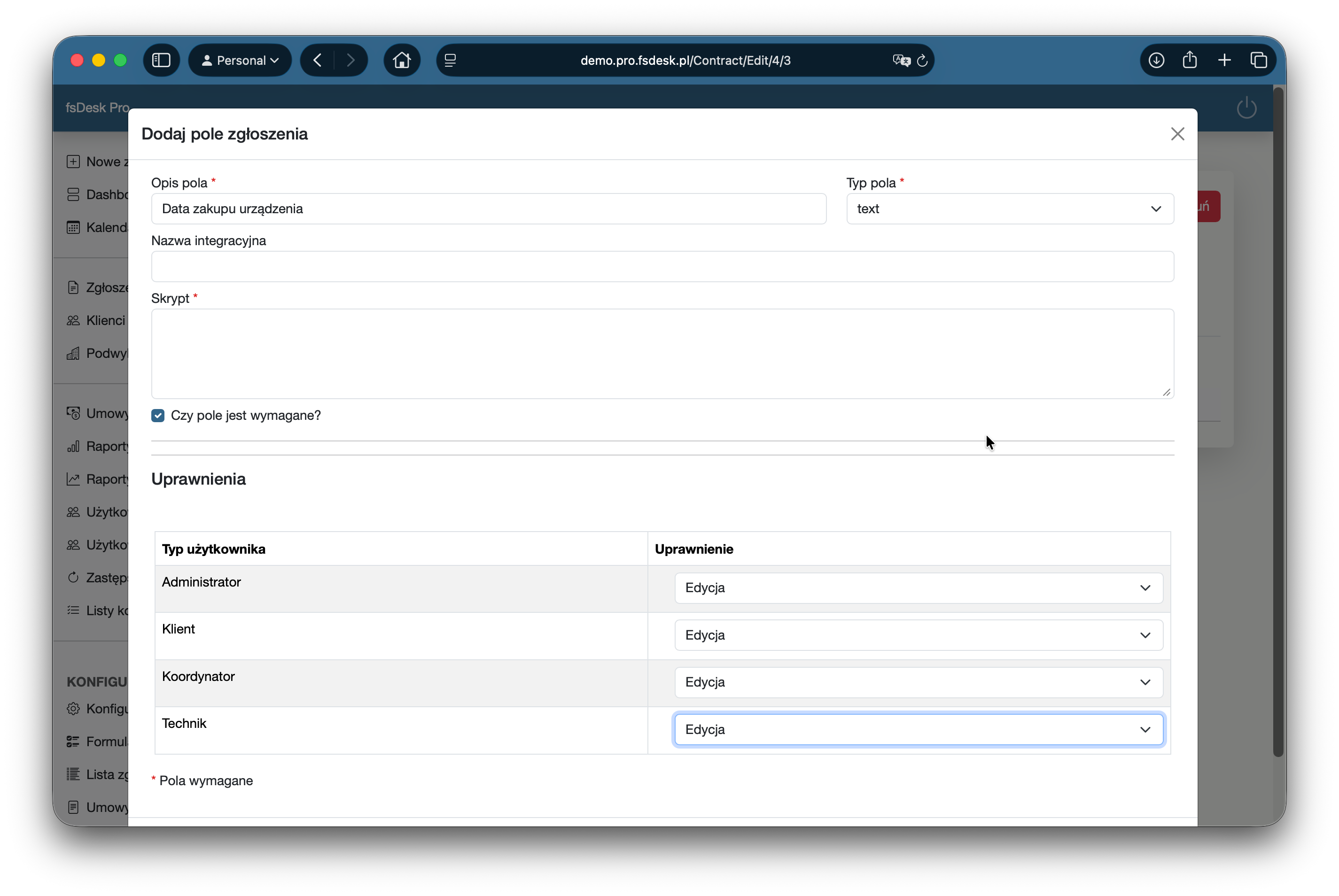
Forms that collect the right information.

Add custom fields, dependencies, and required information. Different contracts can use different ticket types, so technicians have the complete data they need from the start.

  • Custom fields and value lists
  • Field dependencies
  • Role-based editing permissions
Custom ticket field configuration in fsDesk Pro
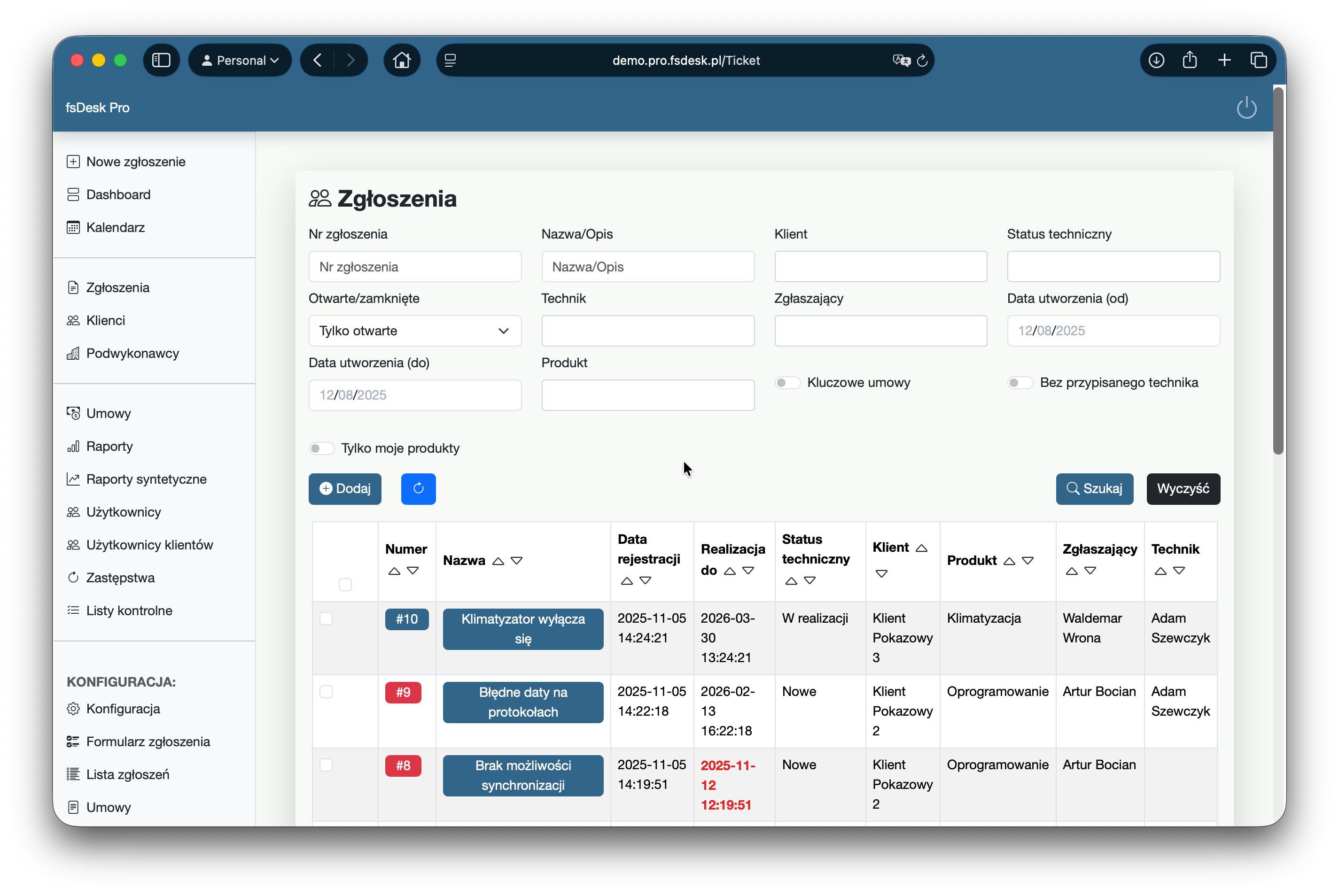
Ticket list in fsDesk Pro
PRIORITIES

See immediately what needs attention.

The ticket list gives the whole service team a shared view of the workload. Overdue deadlines are visible without opening every ticket, and filters quickly narrow the view to a specific customer, product, or technician.

For larger ticket volumes, use bulk operations instead of updating tickets one by one.
SERVICE DELIVERY

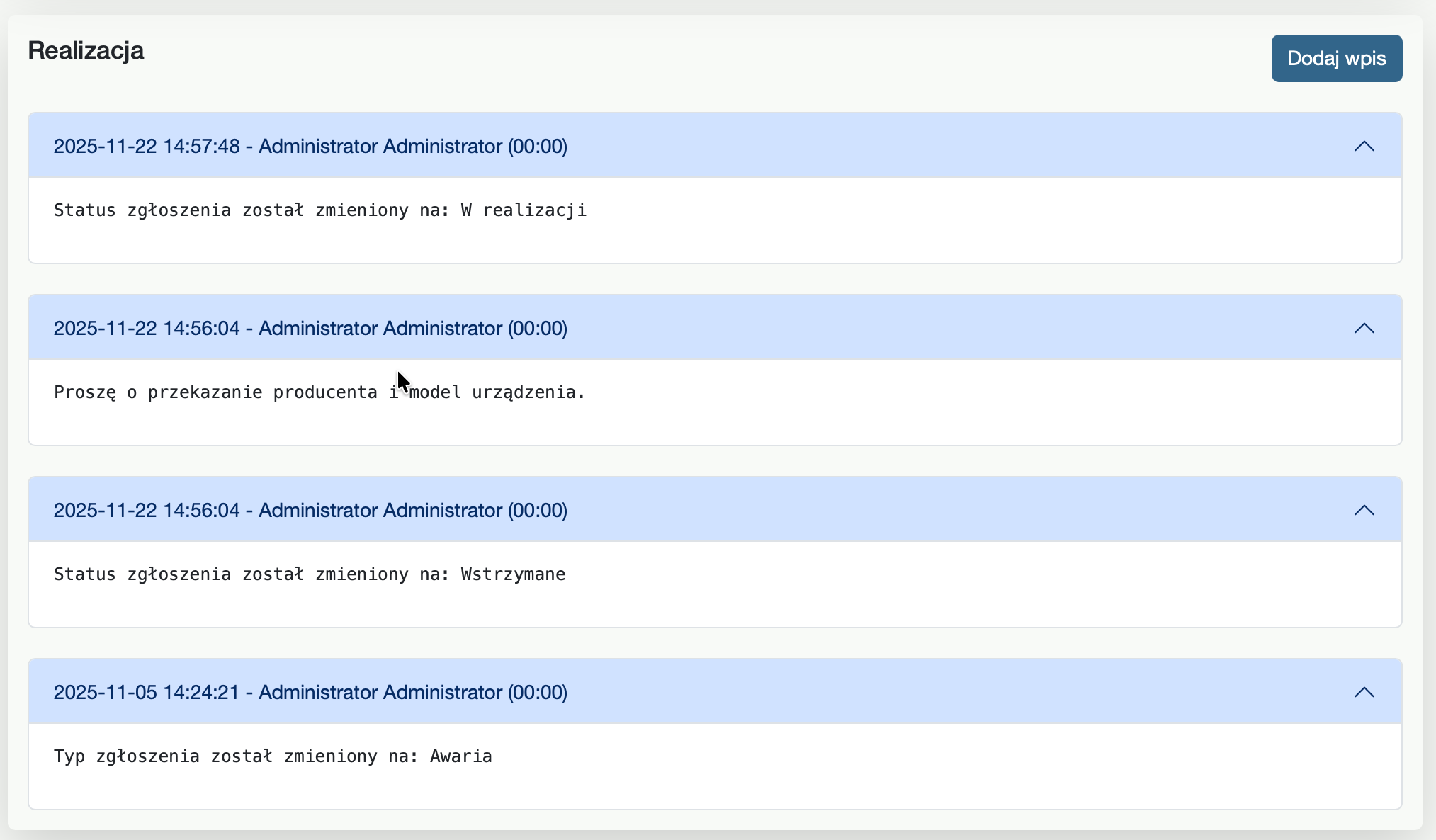
A ticket history that actually helps.

Notes, completed activities, comments, attachments, and status changes form a clear service log. Every team member can quickly understand what happened before.

Ticket service history in fsDesk Pro
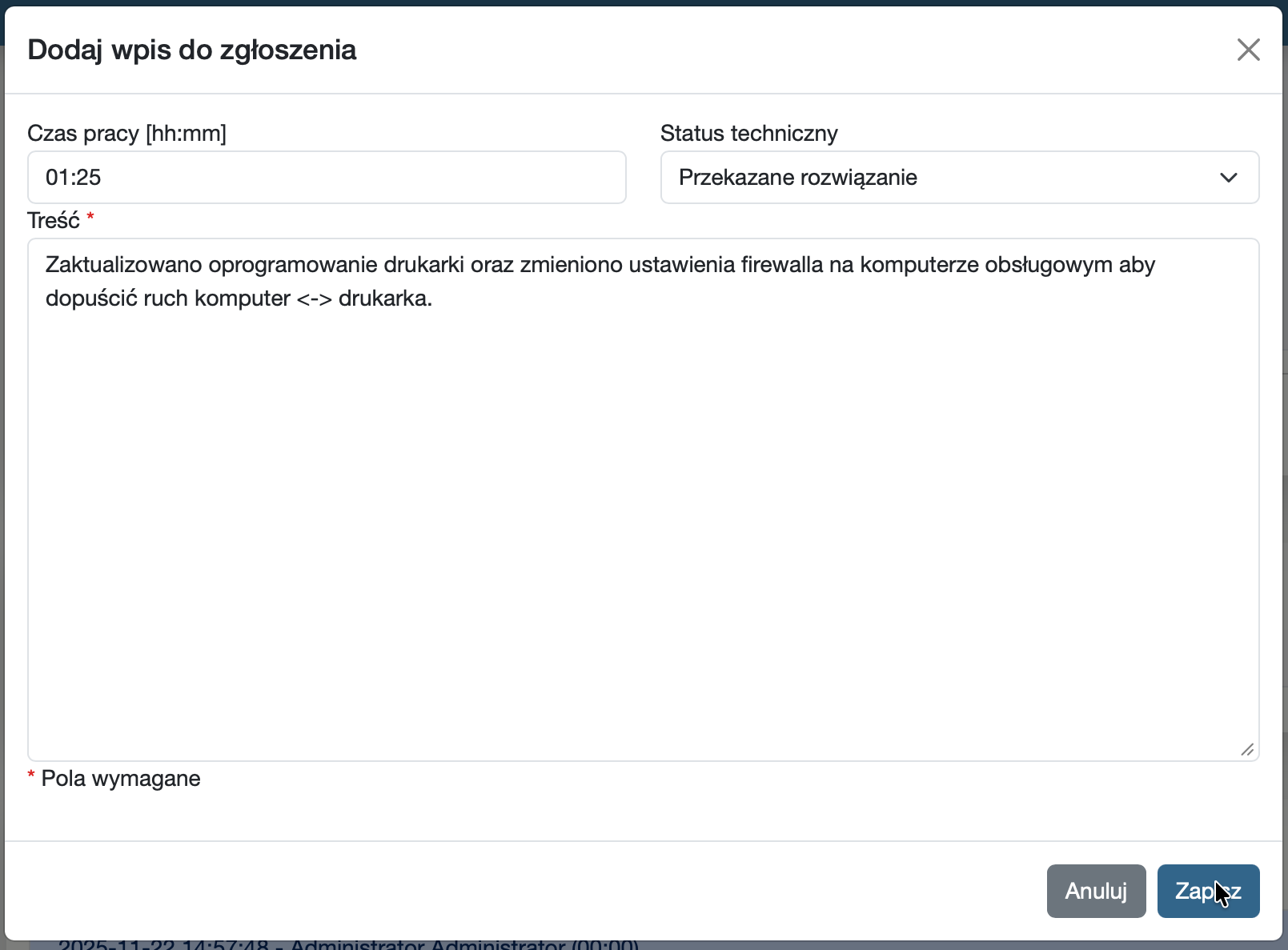
Time tracking in fsDesk Pro
TIME TRACKING

Time data ready for analysis and billing.

Technicians record time and describe completed work directly in the ticket. The data can then be used for workload analysis, reporting, and customer billing.

SLA

SLA you do not have to track manually.

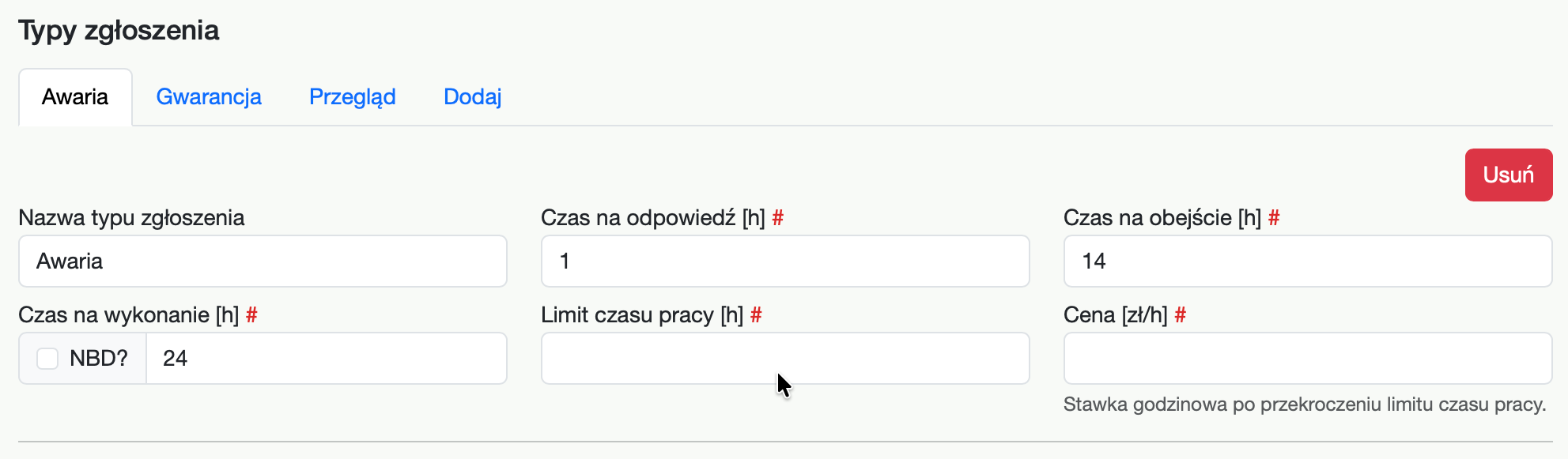
For each contract, define ticket types, response times, and resolution times. The system also accounts for service hours, so deadlines are calculated according to the actual contract terms.

SLA time configuration in fsDesk Pro
Example
Critical incident
Response time
30 min
Service delivery
4 h
Service hours
24/7
Time left
02:17:43
Configure it. Do not work around it.

Your process should not have to adapt to the helpdesk.

fsDesk Pro reflects the way your team actually works—from contract terms to exactly who can see and change a given status.

  1. 01
    Customer contract
    Service terms and scope of cooperation
  2. 02
    Ticket type
    Incident, inspection, consultation, or your own custom type
  3. 03
    Form and statuses
    Fields, requirements, and workflow
  4. 04
    SLA and permissions
    Automatic deadline and access control
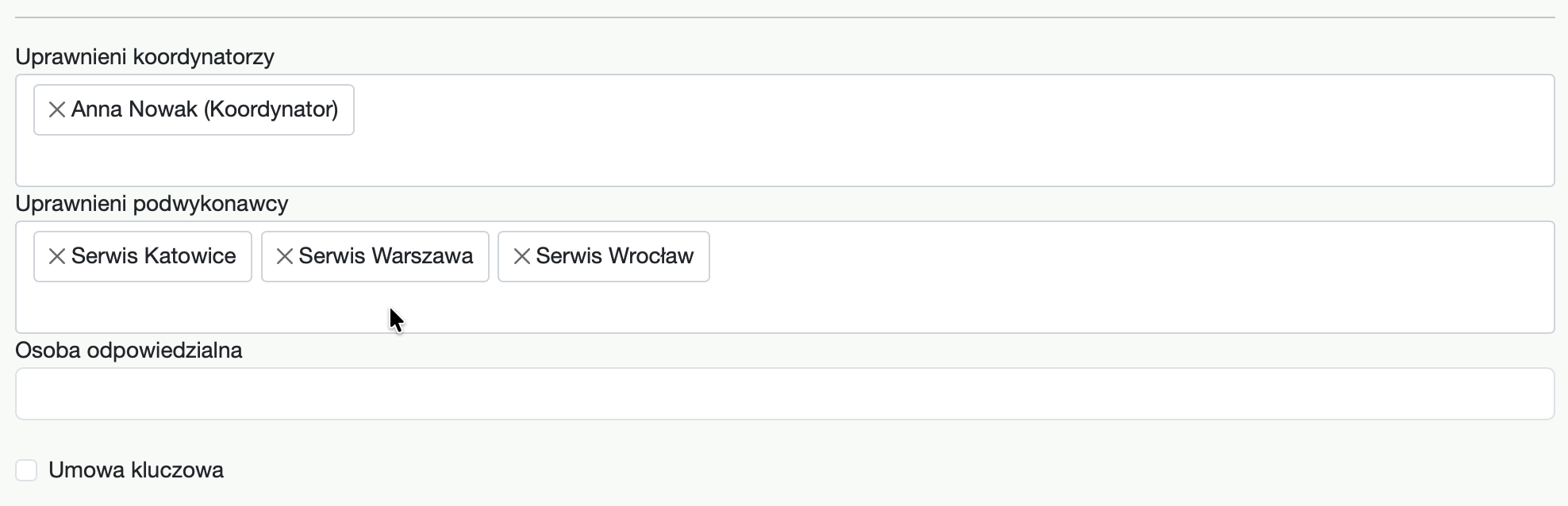
Subcontractor access configuration for a contract in fsDesk Pro
Subcontractors

Delegate work externally without giving access to the entire system.

A subcontractor gets a dedicated account and sees only the tickets assigned to them. You can also define which contracts they are allowed to work on.

Dedicated account

No shared logins between companies.

Access scope

Only the relevant tickets and information they need.

Security

Your tickets. Your customers. Your data.

ON-PREMISE deployment

fsDesk Pro runs on your server infrastructure. Your organization retains control over security policies, backups, and administrative access.

01

Two-factor authentication

An additional code sent by email reduces the risk of account takeover if a password is compromised.

02

Roles and granular permissions

Administrators, coordinators, technicians, customers, and subcontractors see exactly the scope they need.

03

Separate customer portal

Customers have access to their tickets, communication, statuses, and attachments—without internal service data.

04

Login notifications

The system can notify users about successful and failed login attempts, adding another layer of access control.

Who it is for

Where a ticket is part of the contract.

Technical service

Repairs, inspections, and field work delivered for multiple customers.

Internal IT / helpdesk

Structured handling of incidents and changes within the organization.

Facility management

Facility and infrastructure service with deadline control.

Maintenance providers

Processes driven by contracts and SLA parameters.

Equipment service

Service history and required data for specific equipment.

Working with subcontractors

Controlled handoff of tickets to external companies.

Pricing

A simple choice. Unlimited tickets and customers.

Net prices. Package 5 and Package 10 require an annual commitment. Pay annually upfront and receive one month free.

Package 5
190 PLNnet / month

2,090 PLN net when paid annually upfront

  • ✓5 user accounts
  • ✓1 administrator account included
  • ✓Unlimited tickets
  • ✓Unlimited customers
Choose Package 5
Most popular
Package 10
310 PLNnet / month

3,410 PLN net when paid annually upfront

  • ✓10 user accounts
  • ✓1 administrator account included
  • ✓Unlimited tickets
  • ✓Unlimited customers
Choose Package 10
Enterprise
Custom pricing

For teams that need more than 10 user accounts.

  • ✓More than 10 user accounts
  • ✓Unlimited tickets
  • ✓Unlimited customers
  • ✓Pricing tailored to your organization
Let's talk
Explore fsDesk Pro

See whether fsDesk Pro fits your workflow.

Show us how you handle tickets today. During the demo, you will see how that workflow can be modeled in fsDesk Pro.

Book a demo